Your own start page
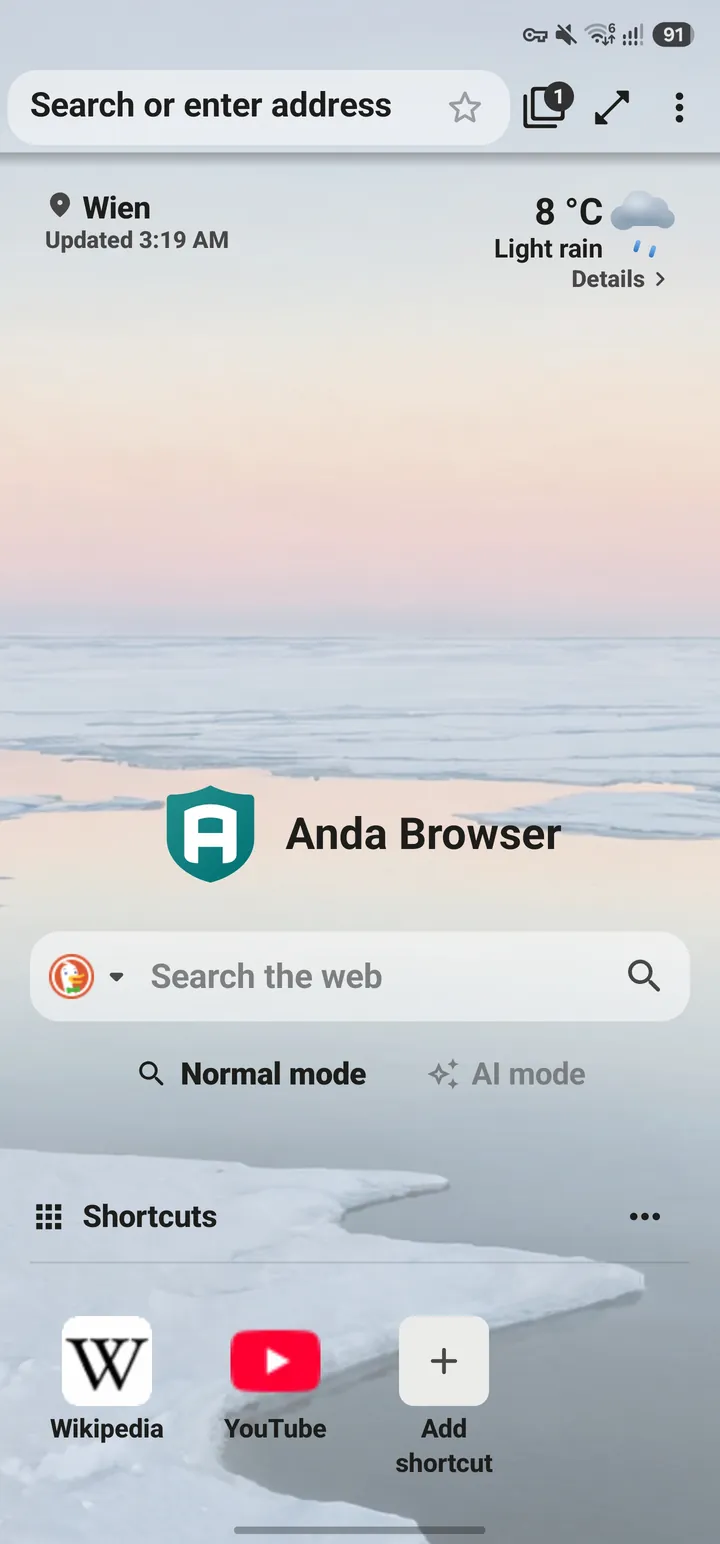
Built from widgets, in your order: shortcuts you choose, the search engine you prefer, your bookmarks and the weather for your city.
Android · Windows · Linux
Anda Browser blocks ads and trackers, shows articles cleanly and starts from a start page you set up yourself. No account, no telemetry.
Choose your platform on the download page.
Android · coming to the desktop
Hold the address bar or the tab strip and drag it up or down: it stays where you let go. If the other bar is already there, they swap places. No settings menu, and it takes effect instantly.
In the Mobile layout everything sits in one row; the Tablet layout gives you a separate tab strip. If you don't need the bars while reading, you can switch them off: a drag towards the edge of the screen brings them back.

No account. No telemetry. Your data stays on your device. How privacy works
A few words from the developer
The browser is the app that knows the most about you: it sees what you read, what you search for, where you shop. So it matters who it works for. Anda Browser works for you. It asks for no account, collects no data, and there is no one behind it who lives off your attention. You make the rules: you decide what is locked, what is on your start page, and when a page refreshes. The web, on your terms.
I built this browser so that my family can use it without worry: their data is what I most want to keep safe. As a software developer I know what security gaps remain in most apps, and what dangers children face online. That is why Lock is in it: only you can reach the security settings, and you can switch private browsing off if you decide so. And that is why it is built to the strictest standard. A small workshop has no security team, so I built one in my own development environment: every change is also reviewed by checkers independent of the implementer (Claude Code, Codex and several locally running AI models), and the security-related parts in a separate pass, before it reaches you. They do not get tired; the final word, though, is always mine. All this while keeping the browser easy to maintain and to keep up to date.
Meanwhile I do not forget that everyone uses the web differently. So Anda Browser adapts to you, not the other way round. It has plenty of settings, but you do not have to understand any of them: if you just want to browse, you open it and it works. And if you like to shape things to your hand, you can make it your own, from the start page to the layout. Reader view brings quiet to a noisy page, and read-aloud stays with you even when your eyes are tired.
Anda Browser is free. If you agree with the way I think, and you would like me to keep going this way, independently, please support my work. Any amount is received with great joy. Thank you for reading, and for trying it.
– Sandor Anda, AndaVision
Built from widgets, in your order: shortcuts you choose, the search engine you prefer, your bookmarks and the weather for your city.
Blocks ads and trackers, and can lock your settings behind a password. Every page shows how much it filtered.
Articles without the clutter: just the text and the pictures, in a size you can read. It can read them aloud, too.

Mobile or Tablet layout: everything in one row, or with a separate tab strip; the address bar at the top or at the bottom, where your thumb is. On Android there is a true full-screen mode: both the status bar and the address bar can be hidden.
Light, dark, or a colour you pick. The whole browser follows.
Browse without leaving history on this device. It is not invisibility: the sites you visit still see you.
Select text on any page and save it as a note; the title and a link to the source are added for you. Search, pinning, export – and everything stays on your device.
APK from this site with a SHA256 sum, or Google Play (coming soon).
Details and checksumsInstaller (SFX) or ZIP, 64-bit.
Details and checksumstar.xz with an installer script.
Details and checksumsAndroid phones and tablets, Windows PCs and Linux. macOS and iOS: coming soon.
From the download page, with step-by-step help for each platform. Help
It stays on your device. No account, no telemetry; the privacy page lists the few connections the browser makes on its own. Privacy
No. Anda Browser is a closed project built on open-source components: GeckoView on Android and Mozilla Firefox ESR on the desktop, both under the Mozilla Public License. The source of the parts we changed in those components is available; see the licences page. Licences and source code